![Pro Quick Draw Logo_Grey.png]](https://www.proquickdraw.com/hs-fs/hubfs/Marketing%20Photos/Pro%20Quick%20Draw%20Logo_Grey.png?height=40&name=Pro%20Quick%20Draw%20Logo_Grey.png)
What is it?
Deleting a user and user license is a simple function to not only keep your dashboard clean and up to date, but it also make sure you don't leave licenses in a used state and also leave users with access to the playbook software once they are no longer with the team
Why does it matter?
Delete User and User License
This should be used when the user has a license to PQD and is no longer with the team
This should be used when someone changes roles and maybe doesn't require a license any longer but still serves a role with the team
How does it work?
Delete User and User License
Under the Users section of the Dashboard Account page select the 3 ellipses next to the user that you want to delete

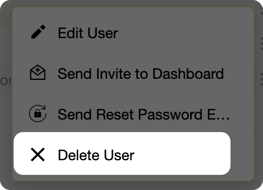
Select Delete User from the menu
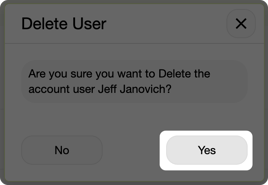
Click Yes on if you want to delete the user
Delete User License Only
Under the Pro Quick Draw Licensed Users section of the Dashboard Account page select the 3 ellipses next to the user that you want to delete

Click on Delete User License from the menu
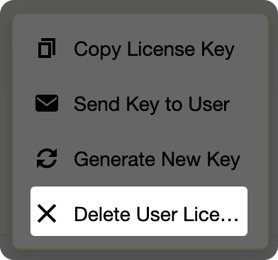
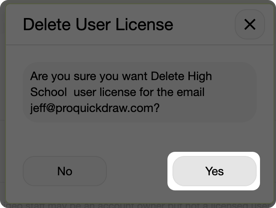
Click Yes to delete only the user license
What is Next?
Now that you have deleted a user and/or license, you may need to add a user and/or license for a new coach on staff. Click the link below to find out how to add.