![Pro Quick Draw Logo_Grey.png]](https://www.proquickdraw.com/hs-fs/hubfs/Marketing%20Photos/Pro%20Quick%20Draw%20Logo_Grey.png?height=40&name=Pro%20Quick%20Draw%20Logo_Grey.png)
What is it?
Your play library is a collection of drawings/plays that can be used to build out your install or playbook.
Why does it matter?
Managing and organizing your play library is crucial to your workflow and to create efficiences to get you back on the field coaching in record time.
How does it work?
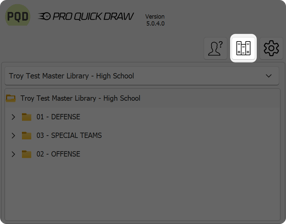
Click on the Libraries button
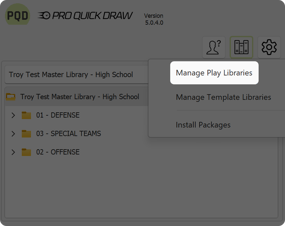
Select Manage Play Libraries
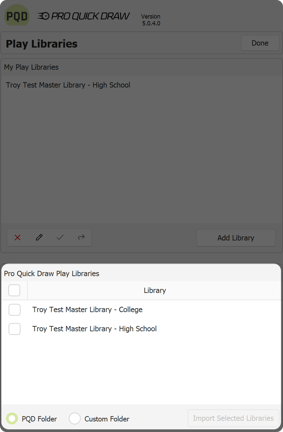
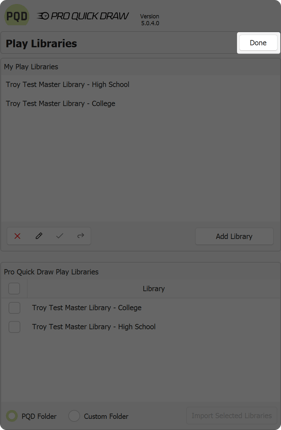
Under Play Libraries you will have 2 choices. Add your own library or install a PQD created play library - we will be choosing from the Pro Quick Draw Play Libraries
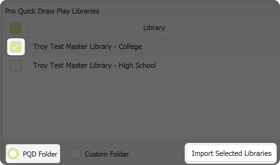
Check the box next to the play library you wish to install and click the Import Selected Libraries button
Once imported click Done in the upper right
What is next?
Now that you have play libraries imported, click the link below to see how to install and manage your template libraries so you can begin building your playbook and presentations.