![Pro Quick Draw Logo_Grey.png]](https://www.proquickdraw.com/hs-fs/hubfs/Marketing%20Photos/Pro%20Quick%20Draw%20Logo_Grey.png?height=40&name=Pro%20Quick%20Draw%20Logo_Grey.png)
Turn Off Smart App Control
-
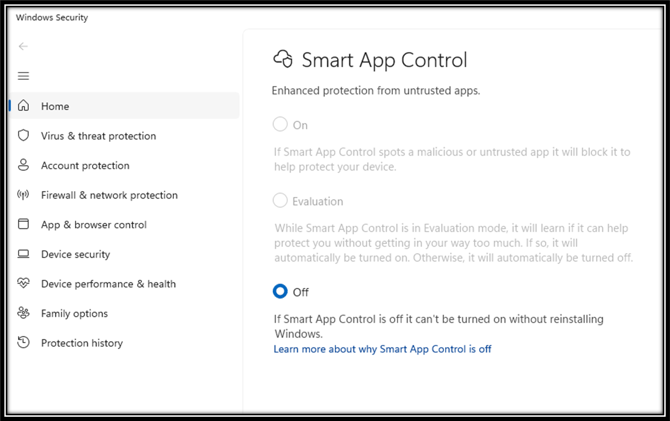
Search Smart App Control in the windows search bar

-
Select the Checkbox for off in the Smart App Control
-
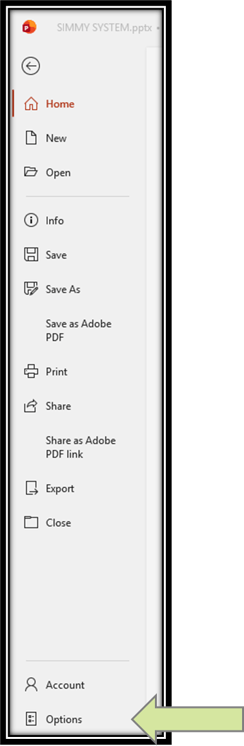
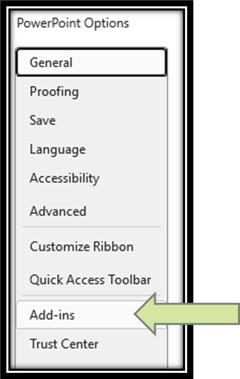
Open PowerPoint and go to Options and then Add Ins
-
Select Go next to Com Add Ins and then make sure the check box for ProQuickdraw.Playbook.Addin is checked off and hit Okay

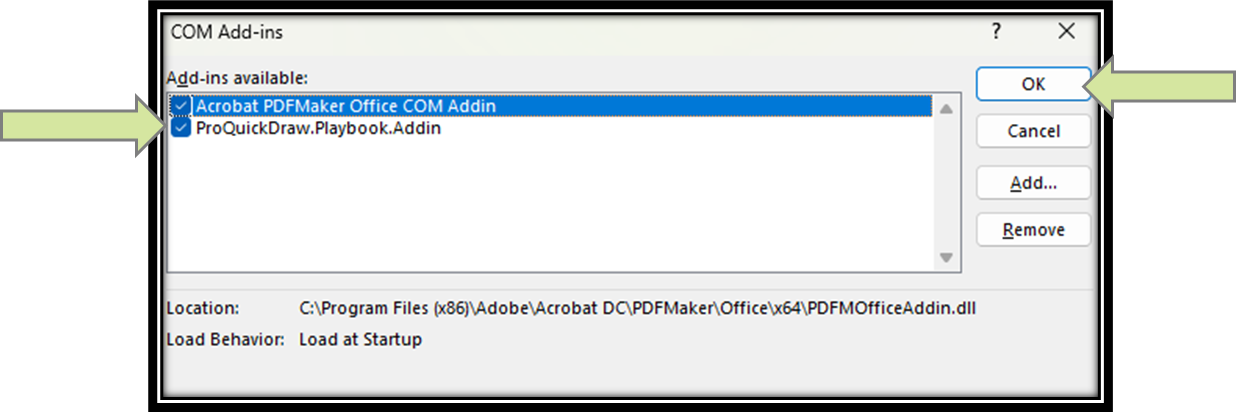
Now the PQD buttons should be visible in the Home tab of PowerPoint!