
Note: If you experience any issues with the Pro Quick Draw Hudl integration, please contact PQD Support directly. This integration was built and is maintained by Pro Quick Draw, so Hudl Support will not be able to troubleshoot or resolve PQD integration-related issues.

Unblock the ffmpeg Settings to allow Video Import
- Go to the Home tab and, in the far right of the ribbon, select the two gear Settings icon. This will open up the PQD Application Settings.

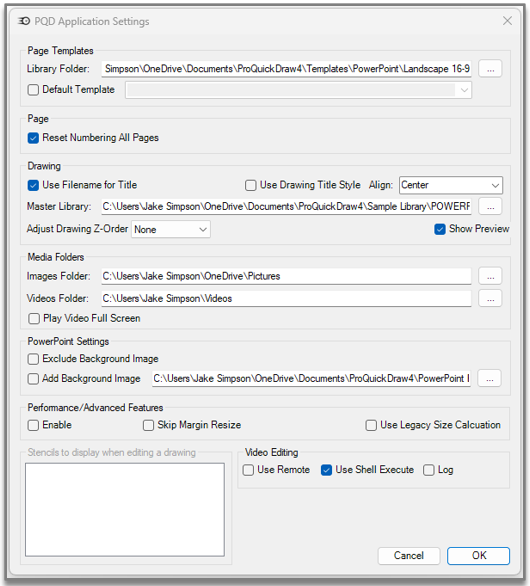
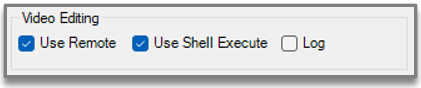
The video will now be able to pull in without producing an error.