![Pro Quick Draw Logo_Grey.png]](https://www.proquickdraw.com/hs-fs/hubfs/Marketing%20Photos/Pro%20Quick%20Draw%20Logo_Grey.png?height=40&name=Pro%20Quick%20Draw%20Logo_Grey.png)
Click Here to Download
Pro Quick Draw Playbook
We’ve rebranded our flagship software to PQD Playbook to align with our expanding suite of products and integrations, including Catapult, QwikCut, Hudl, GoArmy Edge, GoRout and Ethos (formerly Learn To Win). This update paves the way for the launch of our new offerings, which include:
Updates for the 5.0 PQD Playbook Product Include:
1. Installation Packages
These tailored starter kits provide curated Drawings, Shapes, Templates & Field Backgrounds designed to streamline setup based on your specific coaching workflow. Select the option that aligns best with your needs that includes hundreds of Play Editor Drawings & Shapes along with templates that match the drawing style:- Defensive Playbook
- Scout Cards for Offense & Defense
- Drawing the Run Game in a 4x3 Slide (NFL 6 Box Style)
- Drawing the Run Game in a 16x9 Slide
- Drawing the Pass Game
- All Special Teams
2. Playbook Product Updates (Formerly Toggle Panel)
- Updated User Interface & Custom Branding
- Dropdown Menu to Manage Multiple Play & Template Libraries
- Improved Library Folder Structure for More Subfolders Relating to Self & Opponent Scout
- Improved Library Management Functionality
- Improved Search Functionality & Speed
- Updated & Added Templates for All Types of Coaching Roles that specifically fit the drawing size.
ie. 16x9 - If the file location of a play has been moved or is not located, you will be prompted with a message to update the new location
- Advanced Play Selector that enables you to select and combine multiple plays from different formats
- Create a Custom Shortcut from Play Library Folder to the Play Library Dropdown
- Hover to view a Play Thumbnail
- Duplicate Play to instantly copy an existing drawing and place the new version into the next available box
- Enable "Always Open PQD Playbook" to open PQD Playbook upon Visio/PPT Startup
- New Template Editor Settings & Features
- "Save As" is now "Save Copy" to not confuse with the native PowerPoint/Visio "Save As"
- Add an Images Folder as a Play Library, then the images in that folder are available to add to a template
- Add Play Drawing to slide from Play Library (with Play Editor Open) to create a faster process to edit or create a new version
3. Play Editor Upgrades
- Export Drawings from the Play Editor to Create Individual Files within Play Library Folders
- New Blocking Shapes that include a Line as the Endcap for Blocks Rather than Dots
- Insert an existing drawing from your play library directly onto a slide as an editable drawing. This will also include the file name in the add notes section.
- Added Dropdown Menu to Quickly Change Drawing & Shape Libraries
- When you insert a drawing from the Play Editor, its slide name is automatically added to the Notes section. You can add multiple drawings to complete this process.
- Reorganize your Library Order with Drag & Drop Capability
- Ungroup Shapes when Adding to a Drawing
- For visibility, when using the Line tool "Match" a player with a White Fill Color will default to Black
- Right Click a Shape and Set the Line or Freeform Settings as Default
4. Integration Upgrades
Catapult & PFF
-
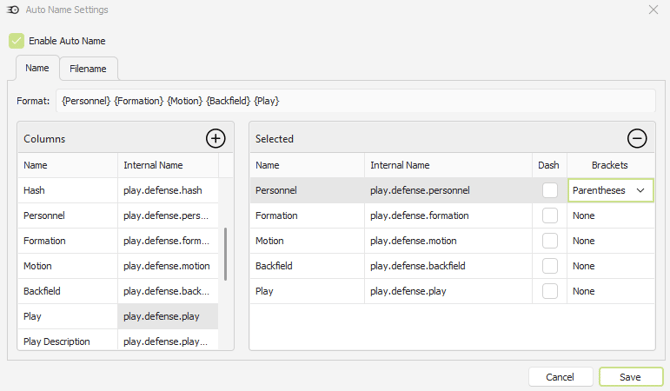
Auto-Name Imported Plays Using Data from ThunderCloud
-
Import/Export PFF Mappings
- New field backgrounds for improved field/player spacing
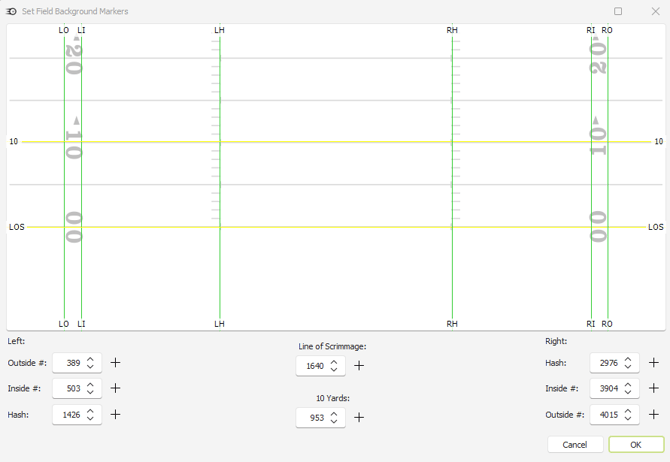
- Updated Field Background Markers for easier implementation
- Advanced filter options when analyzing data from Thunder
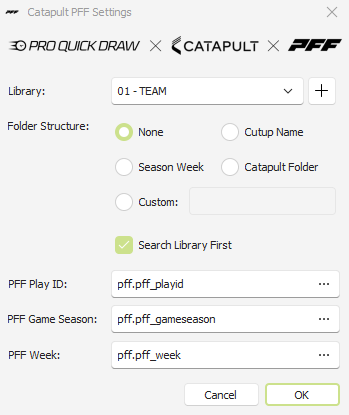
- New Catapult folder options to assist with organizing imported diagrams
Qwik Cut & Hudl Video
-
Advanced filter options when analyzing data from your video software
- Frequency Sort multiple columns using Shift Key + Click
- Video Angle not needed to add a play diagram to a template with Data
GoRout
- Free integration for PQD + GoRout Users
-
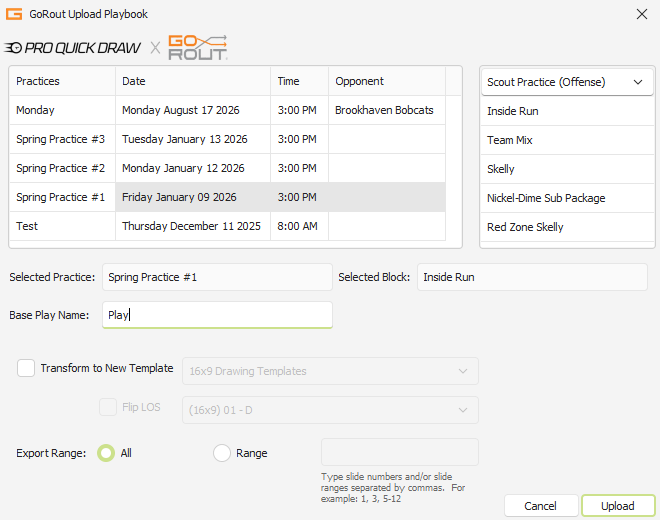
Export plays from PQD directly to a practice & practice block within GoRout.
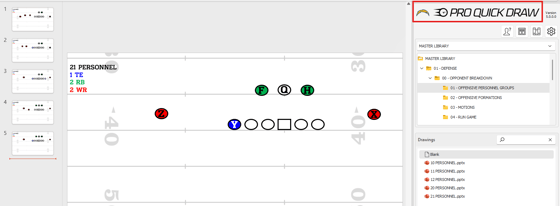
Updated UI & Branding
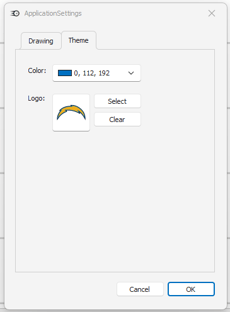
The updated product now features enhanced customization options, allowing users to incorporate their team or school logos directly into the platform for a more personalized and professional look.
Updated Buttons to access library management, template editor, settings & customer support.
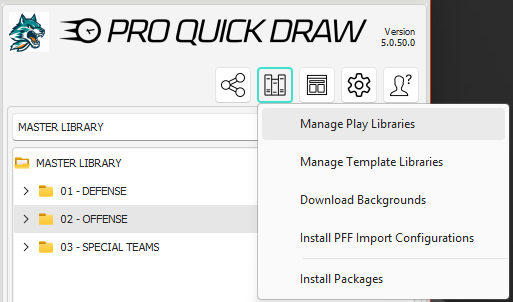
Managing Libraries (Book Shelf Button)
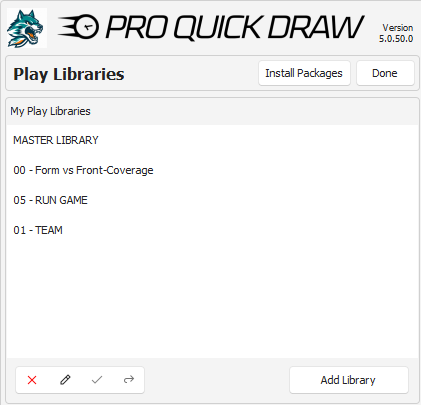
This will enable users to access and manage their Play Library Folders, Template Library Folders and installation packages.
Managing Play Libraries
-
New Dropdown menu to quickly switch between libraries
- Drag and Drop to adjust Play Library Order (Top Library is the Default Location)